The next step of the upgrade is to upgrade the vSphere clusters in the workload domain. VCF 9.0 no longer supports vSphere Lifecycle Manager Baselines (aka VUM) as a method of lifecycle managing your clusters. So if you have clusters that are managed using vSphere Lifecycle Manager Baselines, you must transition them to vSphere Lifecycle Manager Images. This can be done using the SDDC Manager API, following the documentation or (more suitable for larger scale) using the PowerShell script on this KB https://knowledge.broadcom.com/external/article?articleNumber=385617. I only have a single cluster, so I will use a mixture of manual and scripted steps.
The first step is to create a vLCM image that corresponds to the currently installed ESX version. In my case, I am running VCF 5.2.1 so the installed ESX version is ESXi 8.0 U3b – 24280767.
- Log into the vSphere client and navigate to Home > Lifecycle Manager > Image Library.
- Enter a name and under ESX Versions, select the version corresponding to your running ESX version.
- If you require vendor add-ons, add them here.
- Click Validate, and click Save.

- Next, log in to SDDC Manager and navigate to Lifecycle Management > Image Management and click Import Image. Select the vCenter where you created the image, select the image from the list and click Import.
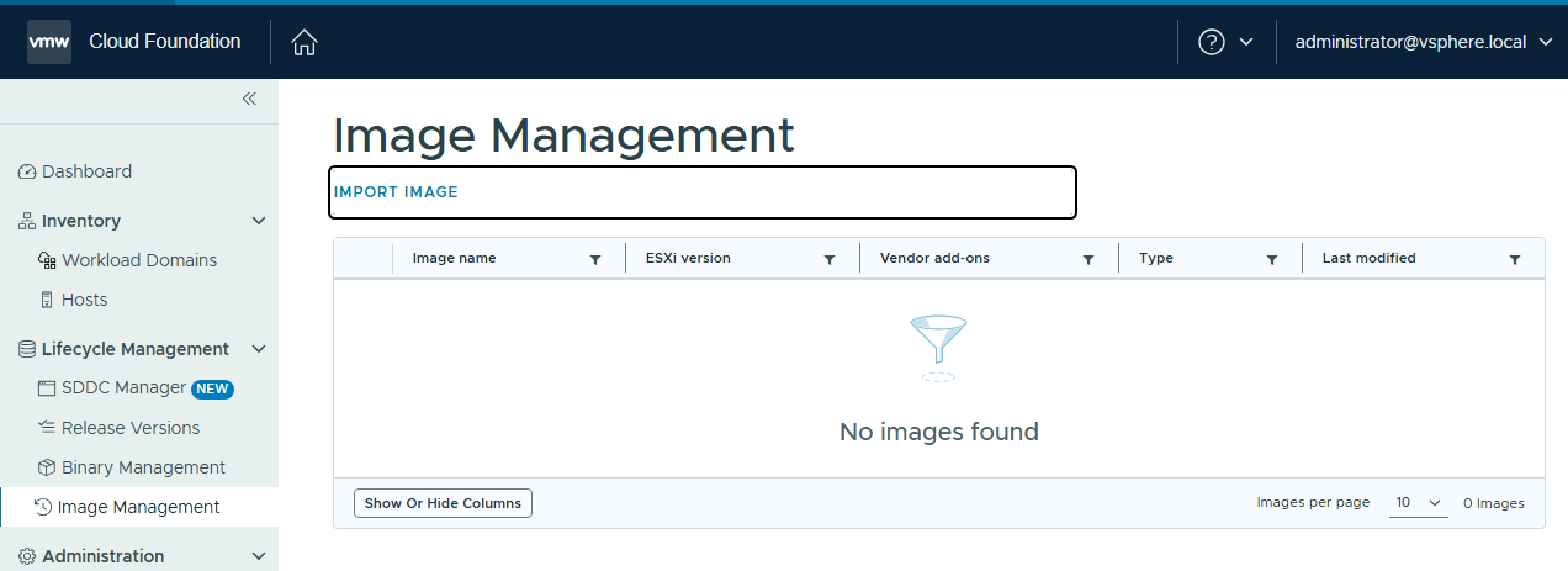
- Select the source vCenter and image and click Import.

The image imports into the SDDC Manager inventory.

Now launch the PowerShell script from the KB
.\VcfBaselineClusterTransition.ps1
Choose option 1 to Connect to SDDC Manager and select vCenter. Enter the SDDC Manager FQDN and credentials and decide whether you want to save the credentials to a json file for future use.
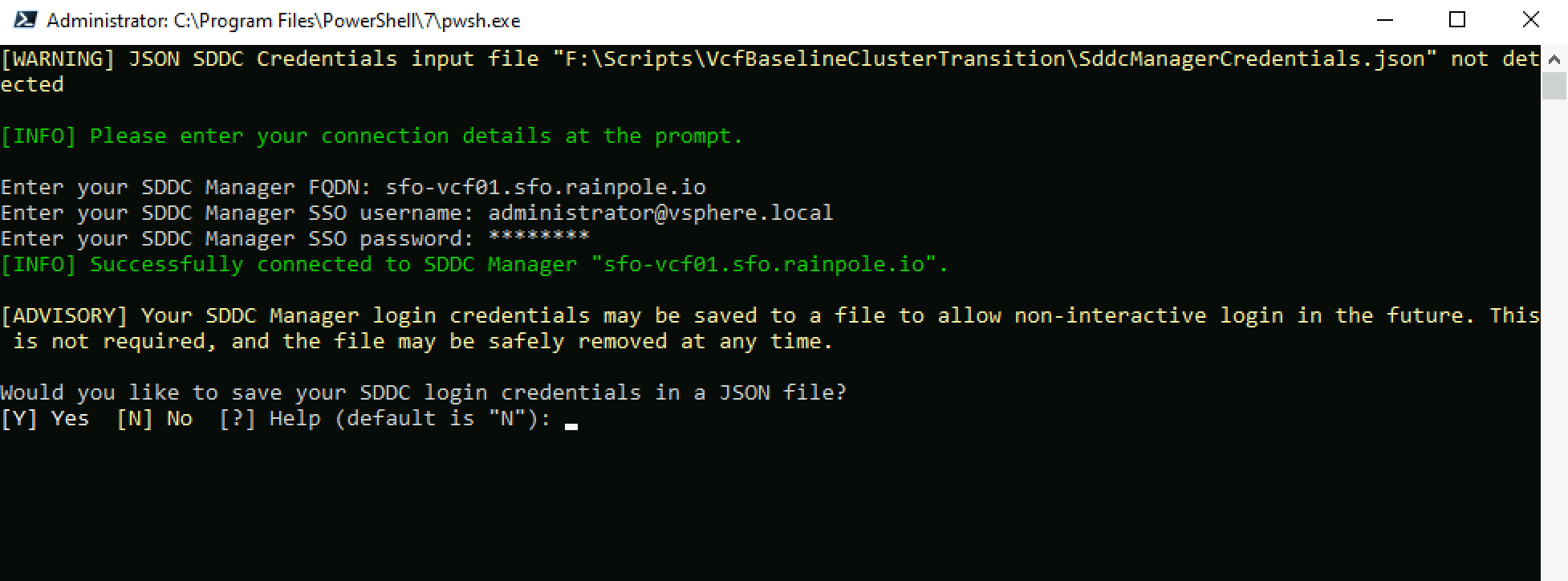
Choose the vCenter you want to work against, or select all vCenter instances.

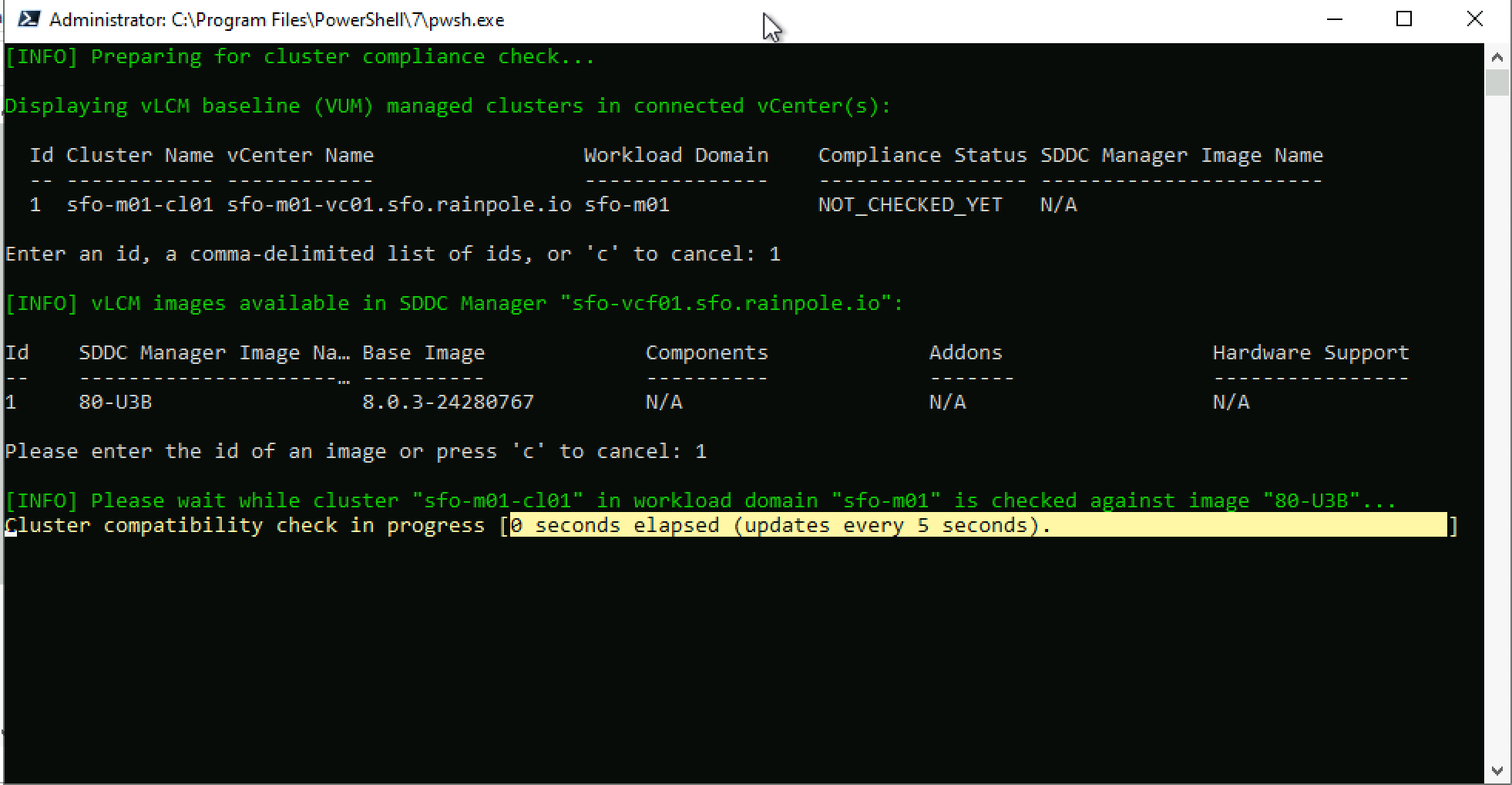
To Check existing cluster(s)’ vLCM image compliance, choose option 3. Enter a cluster id, and choose an image id to check against.
To Transition a vLCM baseline (VUM) cluster to vLCM image management, choose option 4. Enter a cluster id, and Confirm you have reviewed the image compliance findings. The transition process will begin.
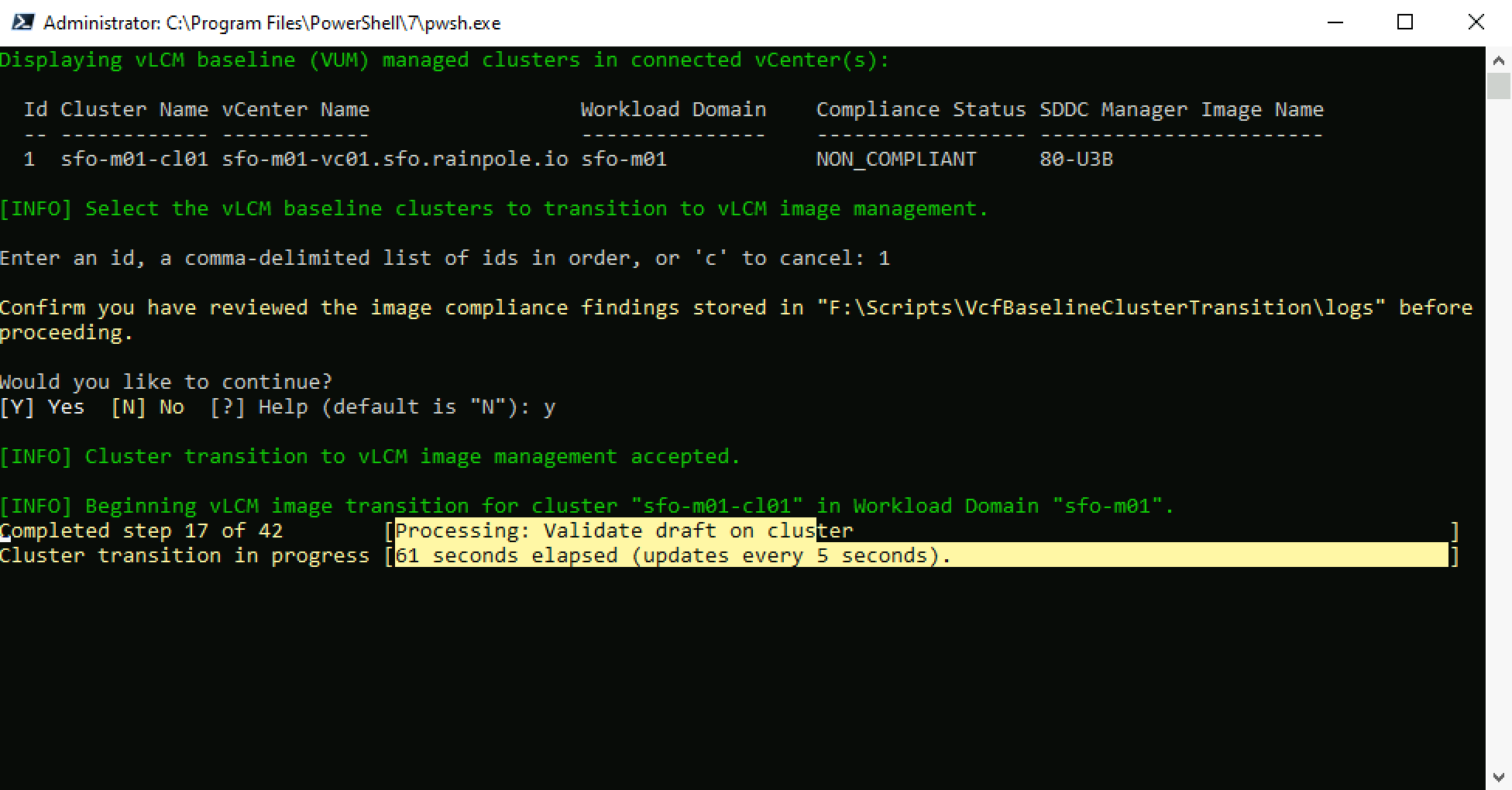
The script will call the SDDC Manager APIs to transition the cluster from baselines to images.

Once the transition process completes, you can proceed with the next step of upgrading the vSphere cluster to vSphere 9.0.
 LifeOfBrianOC