When you delete a Kubernetes (K8s) cluster, you can sometimes end up with orphaned disks (persistent volumes) on your datastore. It can be difficult to identify them and they can take up unnecessary space.
In VCF 9.1 we have a new K8s based services runtime that hosts many of our management services (VCFMS). More about that here VCF Management Services in the VCF Design Guide
As part of some planned destructive VCF Recovery work I deleted my VCFMS cluster so I could test redeploy and restore from backup. The goal was to simulate a complete failure of the VCFMS cluster rather than a graceful delete. Once the cluster was powered off I deleted the associated VMs from vCenter.
Before redeploying the VCFMS VMs, I took a look at the Container Volumes tab under Datastore > Monitor > Cloud Native Storage > Container Volumes and found that, as expected, the persistent volumes that the VCFMS cluster was using had not been deleted.
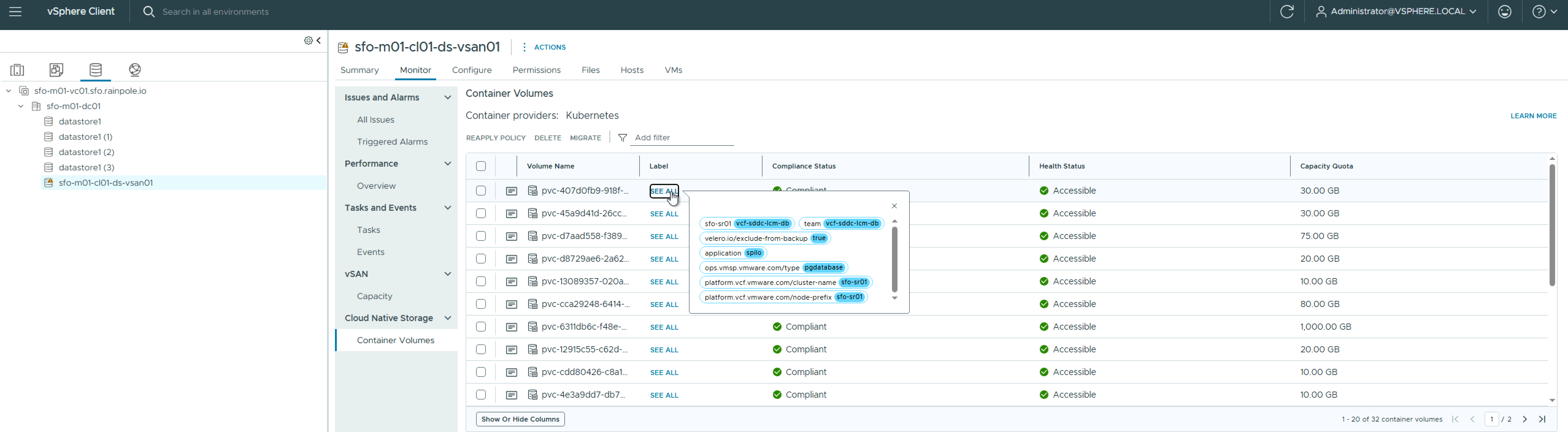
Rather than try to figure out which ones I need to delete I looked at PowerCLI to automate it. PowerCLI has a cmdlet Get-CnsVolume which will retrieve a list of Cloud Native Storage (CNS) volumes. The script below will connect to vCenter and query a given datastore for a list of volumes that have our K8s_CLUSTER_NAME & K8s_NODE_PREFIX as labels. This will ensure we only delete volumes that are orphaned.
Use this with caution as it will delete volumes.
$vCenterFQDN = "sfo-m01-vc01.sfo.rainpole.io"$vCenterAdminUser = "administrator@vsphere.local"$vCenterAdminPassword = "VMw@re1!VMw@re1!"$DATASTORE = "sfo-m01-cl01-ds-vsan01"$K8s_CLUSTER_NAME = "sfo-sr01" $K8s_NODE_PREFIX = "sfo-sr01"connect-viserver -server $vCenterFQDN -User $vCenterAdminUser -Password $vCenterAdminPassword
List the volumes
$ds = Get-Datastore -Name $DATASTORE$toDelete = Get-CnsVolume -Datastore $ds | Where-Object { $matchesCluster = $false $matchesPrefix = $false foreach ($entity in $_.Metadata.CnsEntityMetadata) { if ($entity.Label -ne $null) { foreach ($label in $entity.Label.GetEnumerator()) { if ($label.Key -eq "platform.vcf.vmware.com/cluster-name" -and $label.Value -eq $K8s_CLUSTER_NAME) { $matchesCluster = $true } if ($label.Key -eq "platform.vcf.vmware.com/node-prefix" -and $label.Value -eq $K8s_NODE_PREFIX) { $matchesPrefix = $true } } } } $matchesCluster -and $matchesPrefix}$toDelete | ForEach-Object { [PSCustomObject]@{ Id = $_.Id Name = $_.Name Labels = ($_.Metadata.CnsEntityMetadata | Where-Object { $_.Label -ne $null } | ForEach-Object { $_.Label.GetEnumerator() } | Where-Object { $_.Key -eq "platform.vcf.vmware.com/cluster-name" -or $_.Key -eq "platform.vcf.vmware.com/node-prefix" } | ForEach-Object { "$($_.Key)=$($_.Value)" }) -join ", " }} | Format-Table -AutoSize
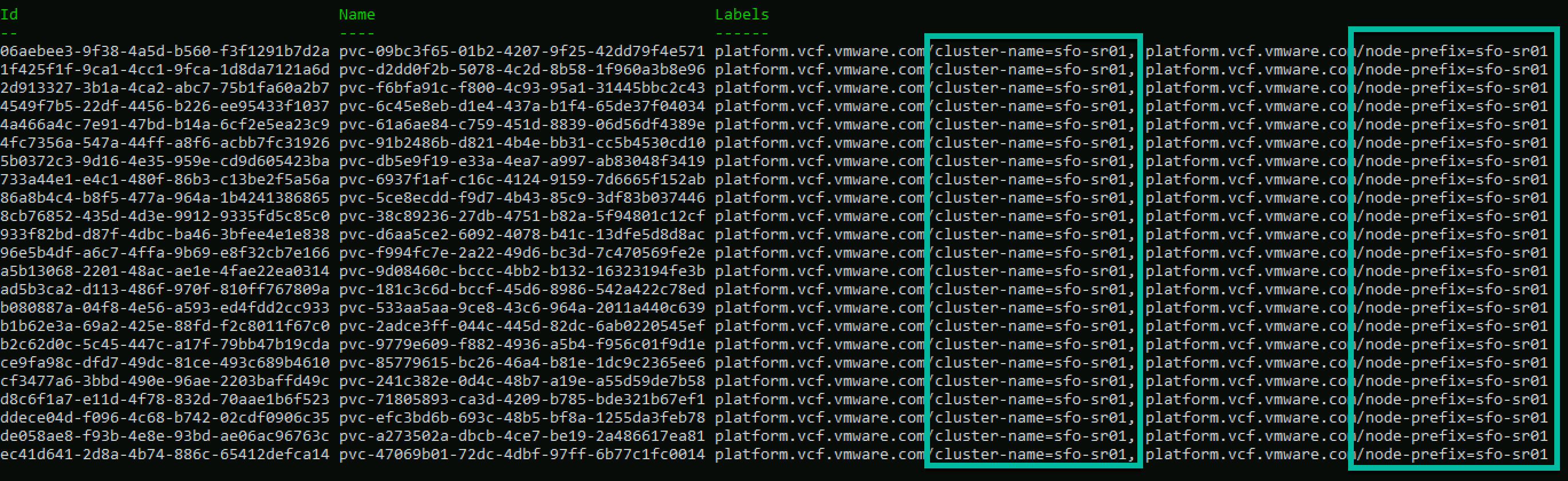
This will present a list based on the labels assigned. Note all volumes have the cluster & node names we defined.
Delete the volumes
$toDelete | Remove-CnsVolume -Confirm:$false
This should clean up all of the orphaned volumes and reclaim space on your datastore.
 LifeOfBrianOC
Leave a comment