The final part of this series on Upgrading VCF 5.2 to 9.0 is to Deactivate Enhanced Link Mode (ELM) on the VCF instance that we have upgraded. ELM has been around forever, but with VCF 9.0, ELM is now deprecated. You can no longer deploy vCenter instances in an ELM ring. VCF 9.0 introduces a new concept of vCenter linking, which, along with VCF SSO, enabled by VCF Identity Broker (VIDB), replaces the functionality previously provided by ELM. I will cover vCenter linking and VCF SSO in a later post, but before you can take advantage of VCF SSO, you must first deactivate ELM.
Deactivating ELM means each vCenter in the ELM ring now becomes a standalone vCenter with its own isolated SSO domain and its is an all or nothing operation, meaning you cannot selectively remove one vCenter from the ELM ring. Once you perform the operation, all vCenters will be removed from the ELM ring, and all vCenters will use their own instance of vsphere.local.
Important Note: Taking offline snapshots of all vCenter instances in the ELM ring is recommended in case you need to revert.
To deactivate ELM, we will use the SDDC Manager API.
- Browse to SDDC manager and click on Developer Center
- Navigate to Domains and under GET /v1/domains click Execute.
- Expand the response and locate the id for the management domain

- Expand POST /v1/domains/{id}/validations , enter the management domain id in the id field and the following json in the body, and click Execute.
{
  "breakElmSpec": {
      "isReconcileWorkflow": false
  }
}
- Expand GET /v1/domains/{id}/validations/{validation_id} and replace {id} with the management domain ID. Replace {validation_id} with the validation ID, from the previous step, and click Execute. Expand the response to ensure it is successful.

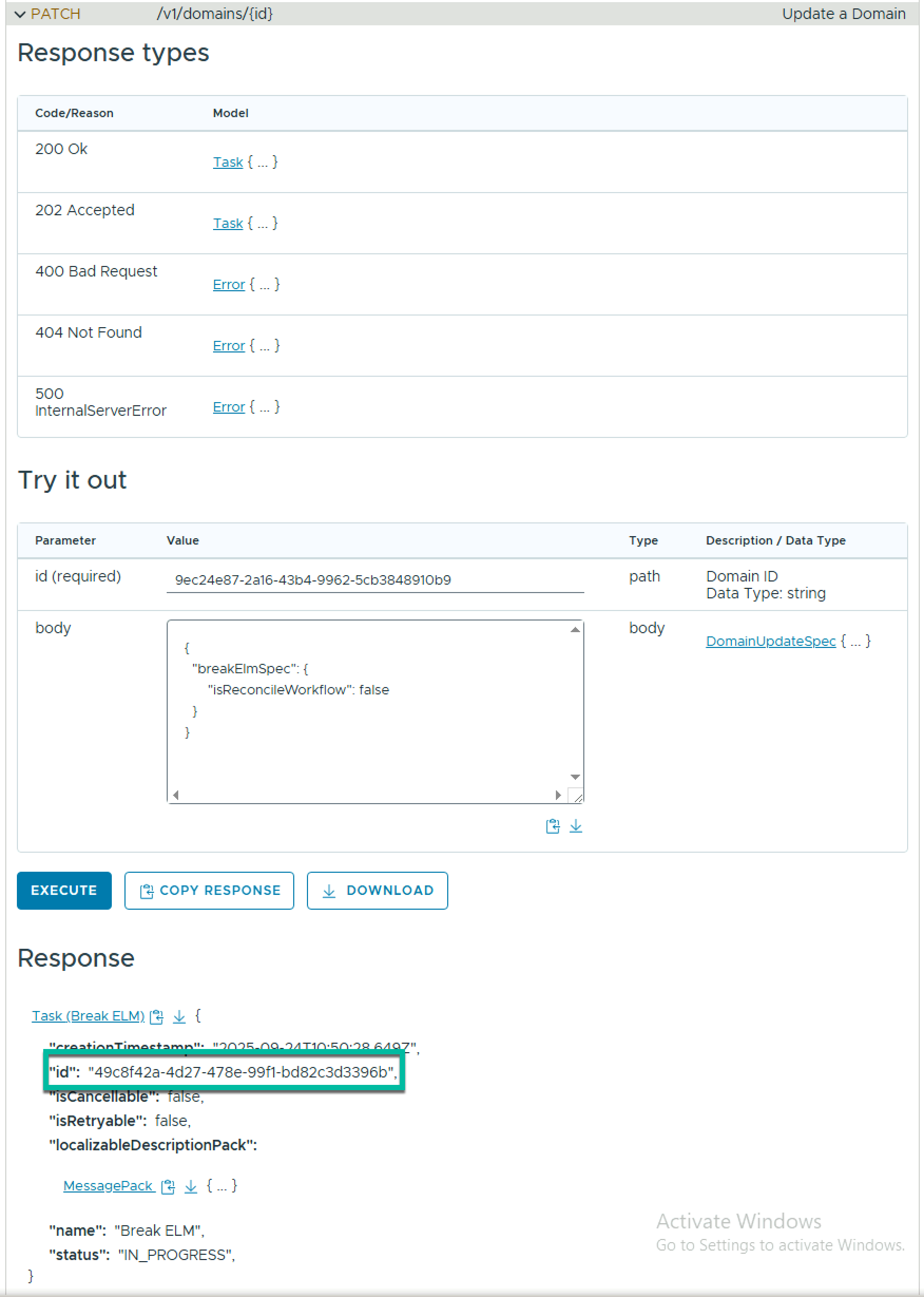
To break ELM across all VCF domains in the VCF instance, expand PATCH /v1/domains/{id} , enter the management domain id in the id field and the following json in the body, and click Execute.
{
  "breakElmSpec": {
      "isReconcileWorkflow": false
  }
}
Locate the task ID in the response.
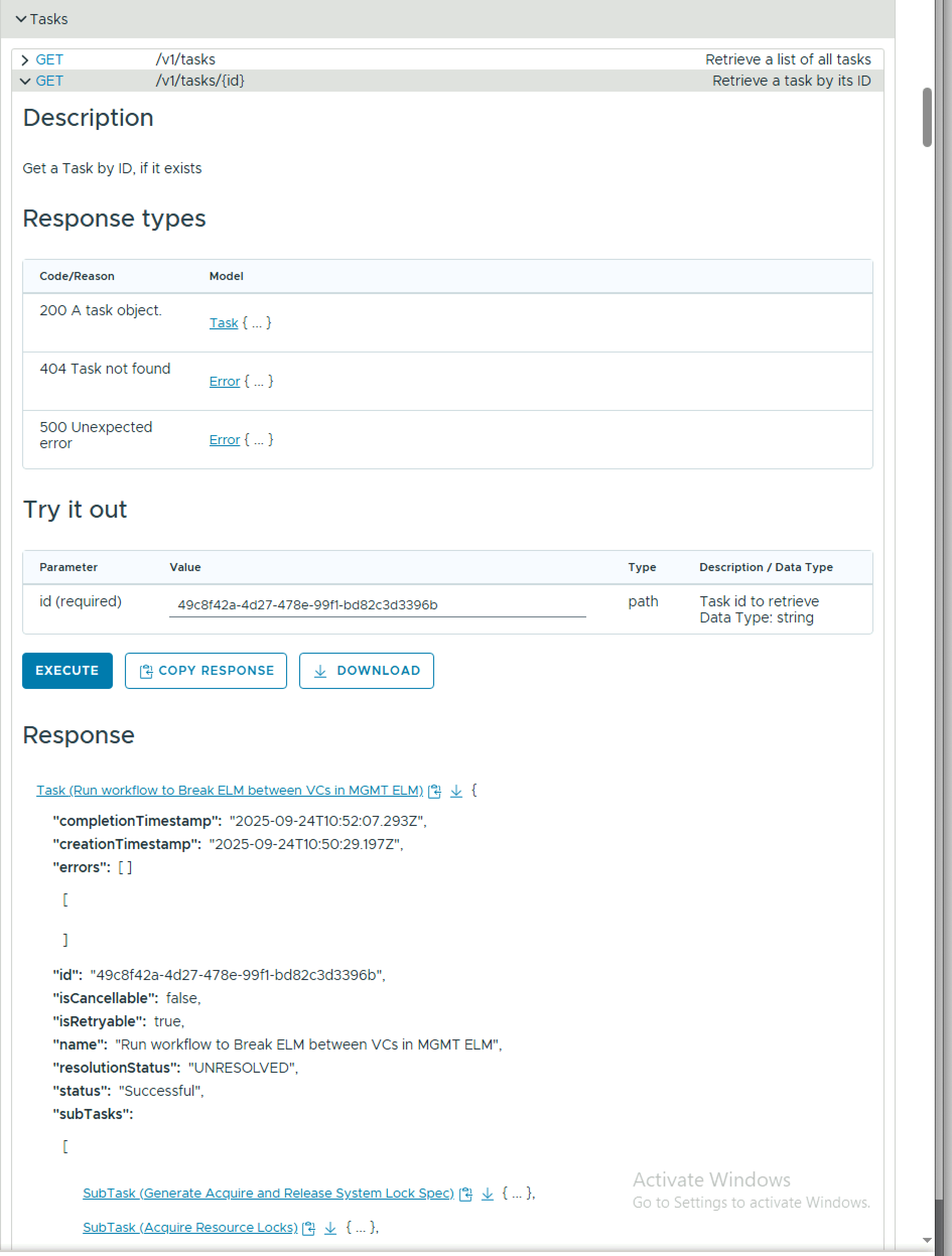
To monitor the task progress, expand GET /v1/tasks/{id} , enter the task id in the id field, and click Execute.
 LifeOfBrianOC
So this is basically the last thing you want to do in the upgrade-process?
The possibility is only available when everything is updated?
Yes, it is recommended to run it once all workload domains are upgraded to VCF 9.x
Thanks alot!!
That will help us in the upgrade-project.
Will probably start that during the next year 🙂
Great Article, thanks for writing it.
If customer have vSphere 8 setup (VVD based setup) couple of vcenters in ELM first upgrade them to vSphere 9 then convert management cluster as management domain, then import other vcenter clusters workload domains after this stage we will deactivate ELM using the above sddc manager API?
or I have to deactivate before converting to VCF9.0 ? Is this the right approach? Please share your thoughts. Thanks in advance. 🙂
Glad you found it useful!
For your scenario, ELM is not supported for converge/import with VCF 9.0. It may be supported in a future release. The 9.0 process with VCF is much cleaner as it is API driven, but there is a command line version you can run before you converge/import, documented here https://techdocs.broadcom.com/us/en/vmware-cis/vcf/vcf-9-0-and-later/9-0/fleet-management/what-is/points-to-consider-while-setting-up-vmware-cloud-foundation-sso/how-to-deactivate-enhanced-link-mode-in-vcenter-without-downtime.html . The older version of cmsso-util documented in this KB https://knowledge.broadcom.com/external/article/370062/splitting-enhanced-linked-mode-elm.html was not as robust. If it were me, I would upgrade the VCs, run the newer cmsso-util break-elm and then converge/import.
Hope this helps