Quick Tip: No products found in Aria Lifecycle Manager with VCF 5.2.1

VCF 5.2.1 ships with Aria Lifecycle Manager 8.18. When you attempt to deploy an environment you will be met with the following error:

No content found corresponding to SDDC Manager version 5.2.1 This could be due to version incompatibility between VMware Aria Suite Lifecycle and SDDC Manager.
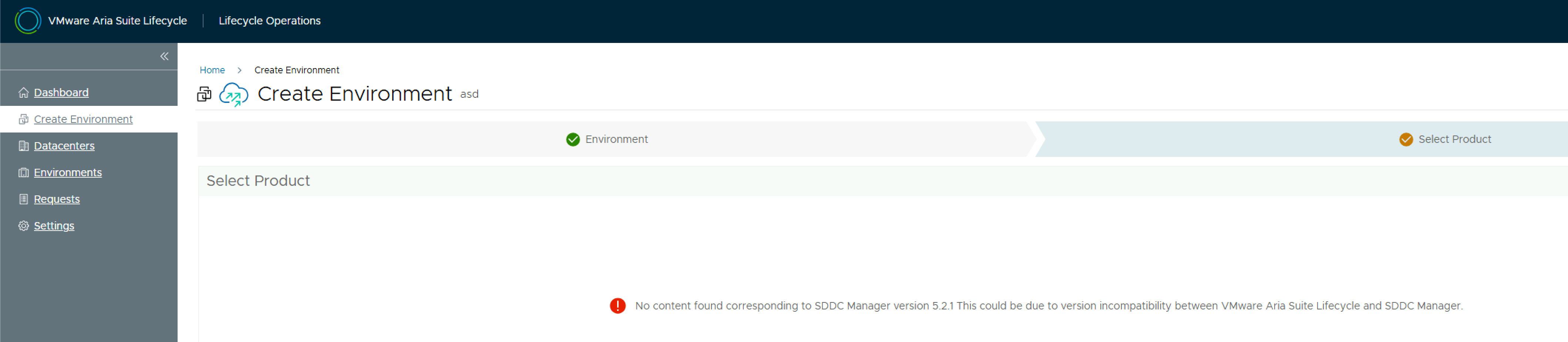
The reason for this is you need a product support pack (pspak) for Aria LCM 8.18 – specifically VMware Aria Suite Lifecycle 8.18.0 Product Support Pack 3. See this KB for more details on which product support pack maps to which release.

Download the pack from the Broadcom support site and log into Aria LCM. Navigate to Lifecycle Operations > Settings > Product Support Pack and click Upload.

Take a snapshot of Aria LCM and then click Select file and select the product support pack, and click Import.

Monitor the upload process in the Requests pane. Once the upload completes, navigate back to the Product Support Pack screen. The support pack will be shown. Click Apply Version & Submit. Aria LCM will restart services during the install.

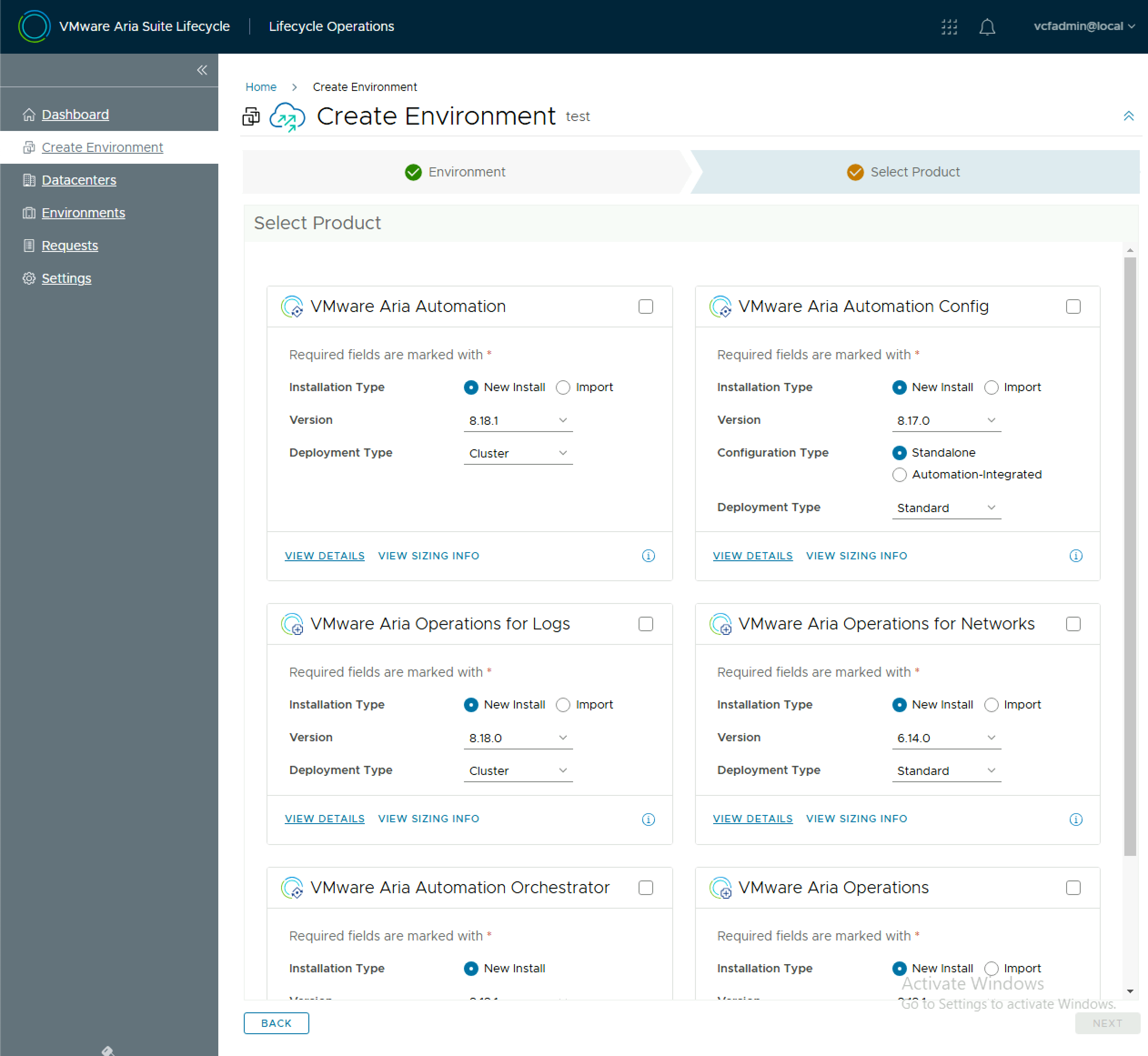
Once the install completes, you should not have a list of available products when creating an environment.
Retrieve VCF Operations Appliance Root Password from the VMware Aria Suite Lifecycle Locker

When you deploy a component using VMware Aria Suite Lifecycle, it stores the credentials in it’s locker. If you need to SSH to a VCF Operations appliance and you dont know the root password, you need to retrieve the root password from the VMware Aria Suite Lifecycle locker. To do this you need to query the Aria Suite Lifecycle API for a list of locker entries using basic auth.

GET https://flt-fm01.rainpole.io/lcm/locker/api/v2/passwords?from=0&size=10

From the response, locate the corresponding vmid for the VCF OPs appliance

{            
"vmid": "a789765f-6cfc-497a-8273-9d8bff2684a5",            "tenant": "default",            
"alias": "VCF-flt-ops01a.rainpole.io-rootUserPassword",          "password": "PASSWORD****",            
"createdOn": 1737740091124,            
"lastUpdatedOn": 1737740091124,            
"referenced": true        
}

Query the Aria Suite Lifecycle locker for the decrypted password, again with basic auth, passing the Aria Suite Lifecycle root password in the payload body.

#BODY (Aria Suite Lifecycle root password)
{
  "rootPassword": "VMw@re1!VMw@re1!"
}

POST https://flt-fm01.rainpole.io/lcm/locker/api/v2/passwords/a789765f-6cfc-497a-8273-9d8bff2684a5/decrypted

If all goes well, it should return the password

{
    "passwordVmid": "a789765f-6cfc-497a-8273-9d8bff2684a5",
    "password": "u!B1U9#Q5L^o2Vqer@6f"
}

VMware Cloud Foundation & vRealize Suite Flexible Upgrades

Historically with VMware Cloud Foundation (VCF), the vRealize Suite (or the following list of products) have been part of the VCF bill of materials (BOM) and their versions tightly linked to a specific VCF release:

  • vRealize Suite Lifecycle Manager (vRSLCM)
  • Workspace ONE Access (WS1A)
  • vRealize Operations (vROPs)
  • vRealize Log Insight (vRLI)
  • vRealize Automation (vRA)

All of the above products were deployed by SDDC Manager using VCF install bundles that were downloaded via SDDC Manager. Their versions were static entries on the bill of materials (BOM) for each VCF release and you couldn’t upgrade to a higher version (to pick up a new feature etc) until the next major VCF release that included the version you were looking for. This clearly wasn’t working for our customer base who need to be more agile with how they manage their private & hybrid cloud infrastructure.

So to help with this we introduced Flexible vRealize Suite product upgrades. See the snippet from the VCF 4.4 release notes below

So what does this actually mean? Well for one, vRSLCM is now the only bundle that is distributed via SDDC Manager. All other products are downloaded natively in vRSLCM. vRSLCM product support packs (PSPAKs) then enable you to upgrade to newer versions of the vRealize Suite. vRSLCM manages the supported matrix to ensure you cant deploy an untested combination, however to determine what support pack is required to enable the various upgrade paths you need to review multiple sets of release notes. In an attempt to help drive clarity a new VMware KB article has been created KB88829, this can be used to work out the upgrade path for vRealize Suite Lifecycle Manager that is needed to then be able to deploy a later release of vRealize Suite product on top of VMware Cloud Foundation.